The whole workspace
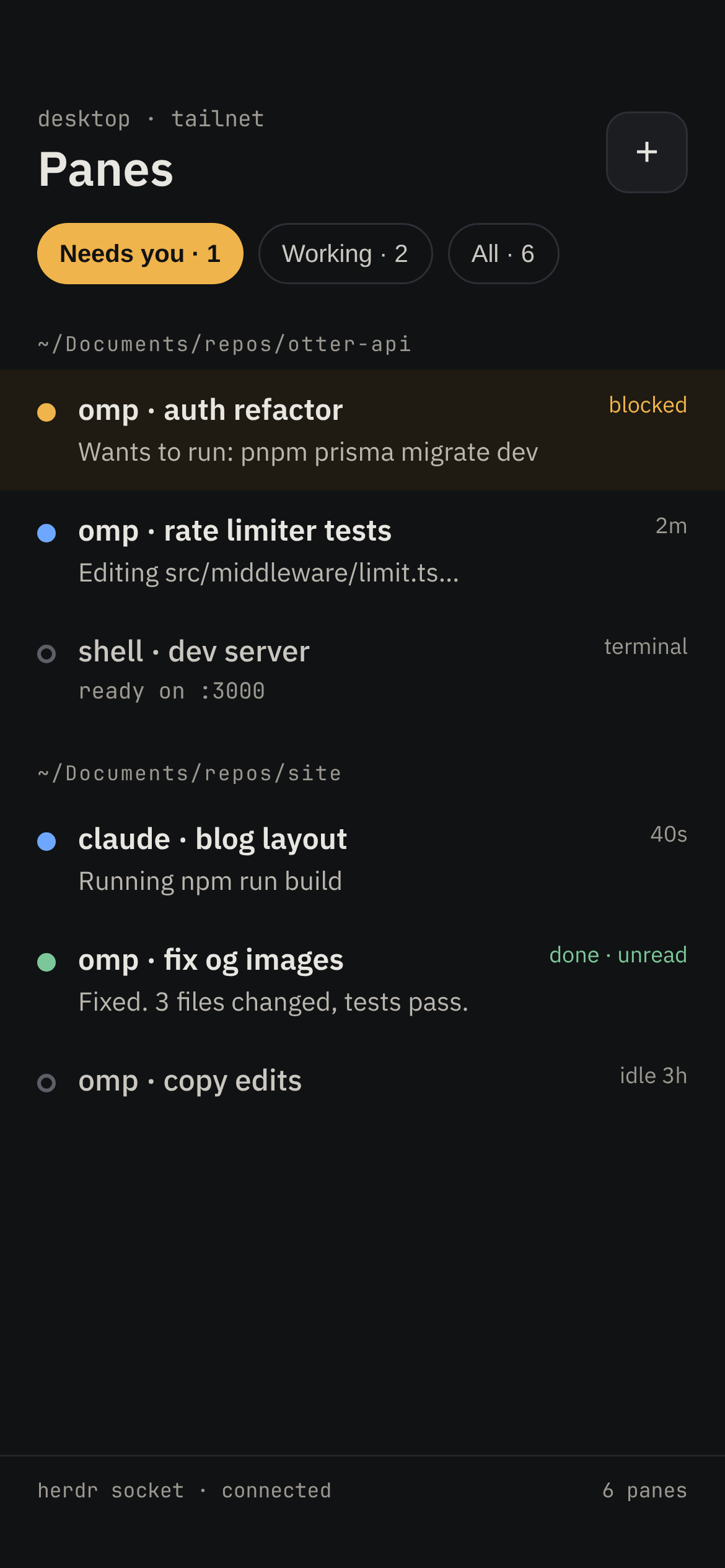
See who's working, who's done and who's waiting. Filter to just the agents that need you. Subagents stay under the agent that started them.
Needs youWorkingDone

Coding agents on your Android phone
Whistle is an Android app for coding agents running on your computer. Read what happened, answer a question, and let them get back to work without going back to your desk.
Self-hosted. No cloud account. No SSH on your phone.
Keep an eye on the work
Every pane, grouped by workspace. The list stays in the order you opened it, even when things get busy.
See who's working, who's done and who's waiting. Filter to just the agents that need you. Subagents stay under the agent that started them.
Send a message or attach an image. Use Esc, Tab, Ctrl+C and arrow keys without opening a terminal app on your phone.
Pick a project and a command, then add a first prompt. Whistle opens the pane in herdr and sends the prompt when the agent is ready.
Only folders and commands allowed on your computer.
Check Claude and Codex plan usage, reset times and the running cost of an omp session. Usage refreshes when you ask, not in the background.
Less guessing about what's left.
A closer look
omp sessions read like chats. For shells and other agents, a live terminal is always a tap away.
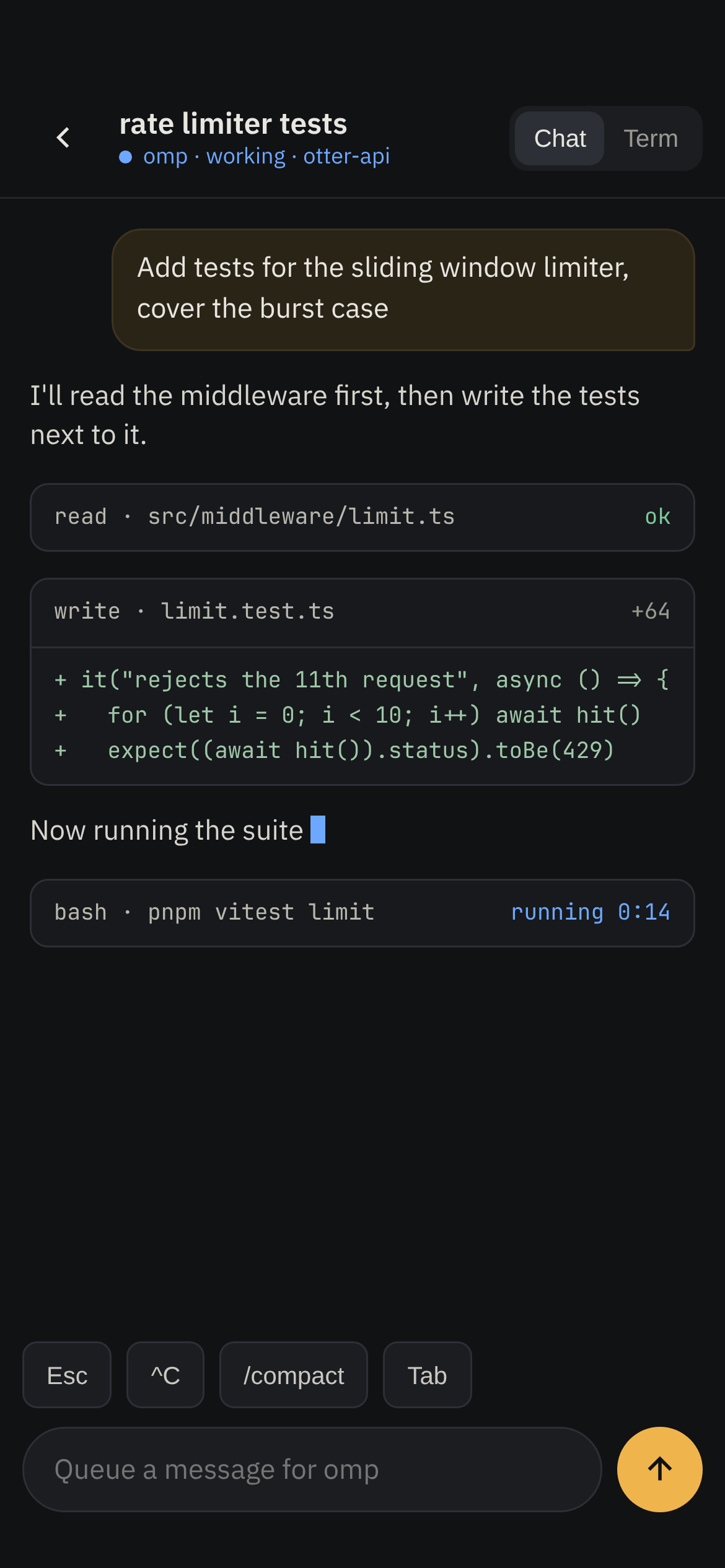
Design mockups · Example conversations
How it works
whistled runs beside herdr. Whistle connects directly to it. Conversations never pass through someone else's server.
Keep your agents running in herdr. Choose which network addresses the server listens on.
whistled pairAdd the connection details in Whistle. Use your home network or Tailscale when you're away.
Encrypted · Certificate pinnedSee the panes already running. Read a conversation, answer an approval or start another agent.
Your input → Your paneNothing is exposed to the internet by default. Each paired device has its own token, which you can revoke from the computer. Whistle reads agent session files but never writes to them.
The Android app
Read agent conversations, approve commands and start new work in Whistle. The app connects to your own computer, where herdr and whistled keep everything running.
Model and effort switching are in progress.
Explore the app